





PART 2. From Repairability to a Culture of Care
Repair Is a Service, Not Just a Screw
Even a well-designed product will not be repaired if the surrounding system makes repair difficult, slow or more expensive than replacement. Spare parts need to exist. Prices need to be understandable. A user must know where to go, how long the repair will take and whether data, warranty or safety will be affected.
This shifts repair from product architecture into service design. A repair journey may include diagnosis, booking, shipping, temporary replacement, parts logistics, communication, payment and return. Each step can introduce friction strong enough to push a user toward buying new.
Designers can therefore map repair as an experience. Where does a person first notice failure? What information do they need? Which decisions cause anxiety? Can a minor fix be done locally? What happens when the object is beyond repair? The product and the service should support one another rather than operate as separate systems.
Case Study: Patagonia Worn Wear
Patagonia’s Worn Wear programme makes repair part of the relationship between brand and product. Its repair platform offers professional repairs as well as more than one hundred care and repair guides developed with iFixit. Patagonia reports that repair activity has helped keep more than 583,000 items out of landfill.
For designers, the interesting point is that repair is communicated as normal product use rather than a failure of the brand promise. Care instructions, repair expertise and the possibility of returning an item to service reinforce the idea that a garment is expected to have a long life.
This reframes after-sales support as part of design value. A student fashion project can therefore include not only material sourcing and construction, but also spare buttons, patching logic, alteration, repair instructions and a future service model. The lifecycle becomes part of the concept rather than a sustainability paragraph at the end.
Source:
https://wornwear.patagonia.com/pages/repairs
Repair as Social Infrastructure
Repair also depends on knowledge that can disappear. A community may own thousands of repairable objects and still discard them if nobody knows how to diagnose a fault, sew a seam, replace a cable or source a part. Repair literacy therefore includes skills, confidence and the social systems through which practical knowledge is shared.
This is particularly relevant to creative education because repair reverses the usual relationship between expert and user. The person who owns the object often knows its history; the repairer understands failure; the designer may understand intended construction. Successful repair connects these forms of knowledge instead of treating one as sufficient.
Repair spaces can also reveal recurring design failures. If the same hinge, cable or fastening repeatedly breaks, repairers hold evidence that should return to product development. A circular system needs feedback from after-use experience to future design.
Case Study: Repair Café as a Learning Network
Repair Café began in Amsterdam in 2009 and has developed into an international network of free meeting places where people repair objects together with skilled volunteers. The foundation describes more than 2,500 Repair Cafés worldwide, covering everything from clothing and furniture to bicycles, toys and electrical appliances.
The model is important because the repaired object is only one output. Skills are transferred between generations, people learn that repair is possible, and practical knowledge remains visible in the community. Repair becomes a public learning activity rather than a hidden technical service.
For design students, a visit to a repair space can be more instructive than studying pristine products. Broken objects reveal actual weak points, improvised fixes, inaccessible components and the emotional reasons people choose to save some possessions while abandoning others. Failure becomes research material.
Source:
https://www.repaircafe.org/en/about/
Repairing Buildings Instead of Replacing Them
Repair literacy can scale from small objects to architecture. Buildings contain enormous quantities of embodied material, labour, memory and social relationships. Demolition may appear to solve technical or aesthetic problems quickly, but replacement also destroys value that cannot be recovered simply by recycling materials.
For architecture students, the repair mindset begins by taking inventory of what already exists. Which structures are sound? Which spaces can be extended? Which systems need replacement? What do residents value? Which constraints can become design opportunities? Adaptive reuse is not a lesser form of creativity; it can demand greater precision because the new proposal must negotiate with an existing reality.
This way of thinking is increasingly relevant as cities confront carbon, housing and heritage pressures simultaneously. The question moves from ‘What should we build here?’ to ‘What can this already become?’
Case Study: Lacaton & Vassal and the Architecture of the Existing
Anne Lacaton and Jean-Philippe Vassal have made transformation rather than demolition a defining principle of their architecture. The Pritzker Prize citation describes their commitment to making sustainable what already exists and highlights the transformation of 530 social housing units at Grand Parc in Bordeaux without displacing residents during construction.
Their approach treats the existing building as a resource rather than a problem. Instead of removing residents and replacing the blocks, the project upgraded technical functions and added generous flexible spaces. The Pritzker account notes that the transformation cost roughly one third of demolition and new construction.
For students, this is repair literacy at urban scale. The design act begins with respect for accumulated value – material, spatial and social – and asks how intervention can extend it. Newness is not the default proof of ambition. Sometimes the more radical creative act is to preserve, add, adapt and improve.
Source:
https://www.pritzkerprize.com/laureates/anne-lacaton-and-jean-philippe-vassal
Teaching Repair Through Failure
Repair is difficult to learn only through lectures because it begins with material resistance. Screws strip, clips snap, adhesives refuse to release, fault diagnosis turns out to be ambiguous and the part that looks broken may not be the real cause of failure. This makes repair especially suitable for learning through making.
Students can begin with existing products rather than idealised design exercises. They can disassemble a vacuum cleaner, lamp, garment or small appliance, map the sequence, identify high-failure parts and attempt reassembly. The exercise reveals hidden design decisions: which components are accessible, which are standard, which are coupled and where information is missing.
The goal is not to train every designer as a technician. It is to build intuition about consequences. Once a student has struggled for twenty minutes to reach a simple switch, the location of that switch becomes a design issue rather than an engineering detail.
Case Study: TU Delft Makes Repair a Design Course
TU Delft’s Industrial Design Engineering programme has developed a master’s elective focused specifically on Design for Repair. The course uses client-based products and workshops on product architecture, disassembly documentation, legislation and human factors, allowing students to experience repair problems before applying new knowledge to redesign.
The teaching approach is valuable because sustainability becomes concrete. Rather than discussing circularity only as a future business model, students confront the mechanical and behavioural reasons products fail to stay in use. They have to demonstrate how a redesigned product fits better within a circular economy.
This suggests a broader model for creative education: ask students to repair before asking them to design for repair. Failure provides feedback that is difficult to simulate. It shows where the product resists care and turns abstract principles such as modularity and disassembly into embodied understanding.
Source:
https://research.tudelft.nl/en/publications/experiencing-design-for-repair-educating-circular-practitioners/
https://ocw.tudelft.nl/courses/engineering-design-circular-economy/subjects/module-3-repair/
Repair Requires a Culture of Care
A repairable product does not guarantee a repair culture. People may still replace objects because repair feels inconvenient, unfashionable or uncertain. Designers therefore influence not only whether repair is possible, but whether it feels normal and worthwhile.
Language, aesthetics and service can change this perception. Visible mending can be treated as damage to hide or as history to celebrate. A replaced module can look like a compromise or an upgrade. A repair counter can feel like a complaint desk or a workshop. These are cultural design choices.
Care also changes the meaning of quality. Quality is not only the perfection of the object at the moment of sale. It can include how gracefully surfaces age, how easily worn parts are refreshed, how clearly maintenance is explained and whether the object becomes more valued through continued use.
How Design Students Can Practise Repair Literacy
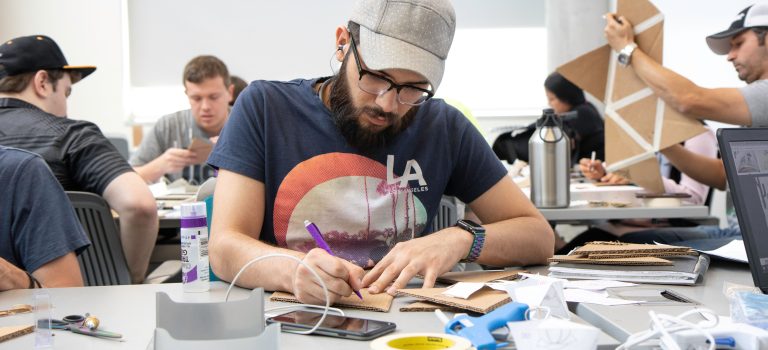
Start by taking something apart. Choose an everyday object that is already broken or likely to fail. Photograph each disassembly step, count tools, note where access becomes difficult and identify which actions risk damage. Then reverse the process. If reassembly is harder than opening, record why.
Create a failure map. List components by expected wear, consequences of failure, replacement cost and accessibility. The map can reveal that the most vulnerable component is buried deepest inside the product, or that a cheap part controls the lifetime of an expensive system.
Design a repair journey as well as a product. What does the user see when something goes wrong? How do they diagnose the issue? Where do parts come from? Who performs the repair? How is data protected? How is the object returned to use? Test the journey with another person, not only the physical mechanism.
Prototype for maintenance. Make covers removable, fasteners legible, parts identifiable and instructions understandable. Where self-repair is unsafe, design a clear boundary and a professional service route instead of pretending the user has unrestricted access.
Finally, imagine the product five years after launch. Which materials will show wear? Which components may be obsolete? Will software still function? Will instructions and spare parts still exist? Designing this future scenario can expose lifecycle decisions that are invisible in a new prototype.
Repair in the Portfolio
Repair literacy can make a portfolio much more informative because it reveals how a student thinks beyond the hero image. A project can include a disassembly diagram, failure analysis, repair prototype, parts strategy, maintenance service or before-and-after redesign of an existing object.
The strongest evidence is comparative. Show how many steps were required before and after redesign, which tools were eliminated, which component became independently replaceable or how a service reduced the friction of repair. The portfolio becomes a record of lifecycle reasoning rather than a claim that the project is simply ‘sustainable’.
Architecture portfolios can show what was retained and why. Fashion portfolios can document repair seams, replacement components or care systems. Digital portfolios can explain update and migration plans. In each case, the student demonstrates an ability to design continuity rather than only novelty.
What Design Schools Can Teach
Design schools can make repair visible by allowing broken and used objects into the studio. Students learn different lessons from wear, maintenance and failure than from pristine materials. A teardown lab, repair clinic or collaboration with local repairers can provide a library of real evidence about how products age.
Briefs can include lifecycle requirements from the beginning: identify likely failures, provide a repair or maintenance pathway, justify permanent joints, document parts and test reassembly. Critiques can ask who repairs the object, with what tools, at what cost and what happens when the product is no longer supported.
Most importantly, schools can challenge the assumption that creativity is demonstrated by producing something entirely new. Repair, adaptation and transformation require close observation of what already exists and a willingness to work with constraint. These are not secondary skills in a resource-constrained world; they are forms of design intelligence.
Key Takeaways for Creative Students
- Treat launch as the beginning of a product lifecycle, not the end of the design process.
- Distinguish durability, repairability, upgradeability and emotional longevity.
- Design access to high-failure components before deciding the exterior is finished.
- Use standard fasteners, modular boundaries and clear documentation where appropriate.
- Remember that spare parts, software support and service logistics can determine whether technical repairability is useful in practice.
- Map the repair journey as carefully as the purchase and use journey.
- Study broken objects and real repair behaviour; failure is valuable design evidence.
- Consider repair at multiple scales, from garments and electronics to buildings and public systems.
- Show measurable improvements in repairability and lifecycle thinking in your portfolio.
- Design not only for ownership, but for care, maintenance, adaptation and return to use.
Looking Ahead
For much of industrial culture, progress has been represented by replacement: the new model, the new building, the new interface, the next season. Repair asks designers to work with a different idea of progress. Improvement can mean keeping something valuable in use while changing only what needs to change.
The policy environment is beginning to reward this shift, but regulation alone cannot create a repair culture. Products have to be understandable enough to maintain, services have to make repair realistic, knowledge has to remain available and people need reasons to care about the things they already own.
For the next generation of artists, designers and architects, repair literacy can become a practical bridge between sustainability and everyday design decisions. It turns circularity from a diagram into questions about screws, seams, software, parts, buildings, instructions and relationships.
The most future-facing object may not be the one that looks newest. It may be the one that has been designed to survive change – to age, to be opened, to be understood, to be altered and, when something fails, to find its way back into use.